
A Singapore interior design firm asked whether AI could turn a recessed ceiling design into the plywood pieces a CNC machine cuts. The job takes a drafter most of a day. The AI could read and write the AutoCAD file, but that was only the starting point. The deployment worked once we captured the drafter's rules, taught the agent the firm's drawing language, and checked every output against a reference before it reached production.
A Singapore interior design firm has a drafting team of about twenty people. One recurring job is to turn a recessed ceiling feature into the individual plywood pieces that a CNC machine will cut.
The drafter starts from two views: the feature outline in plan, and a cross-section showing the stack of rings that build up its profile. From those drawings, the drafter produces cut-ready parts. They offset each ring, split it into manufacturable pieces, label the parts in sequence, and add allowances so the pieces still fit after machining. A typical job takes a drafter most of a day.
We ran a two-week SmartWork engagement to automate this workflow with AI.
AutoCAD files already contain structured data
An AutoCAD DXF file stores drawing objects as records: lines, arcs, layers, labels and coordinates. A coding agent can read those records, inspect them, and write a new drawing back. That means the workflow does not need a vision system to interpret screenshots.
The drafting logic also fits a repeatable operation. Each ring edge follows the original outline at a specified distance. Rectangular, circular, octagonal and free-form coves can therefore run through the same builder, with the outline supplied as input data.
The implementation work had three parts: capture the drafter's rules, teach the agent the firm's drawing language, and check whether the drawing is usable by the workshop.
Write down what the drafter knows
The first problem is that many drafting rules are not written down. We tested the impact by running four real jobs twice each, using the same agent, model, and tool. The only variable was the instruction given to the agent. All four jobs improved with a clearer instruction, with a median gain of 2.2 times measured as similarity to the drafter's delivered file.
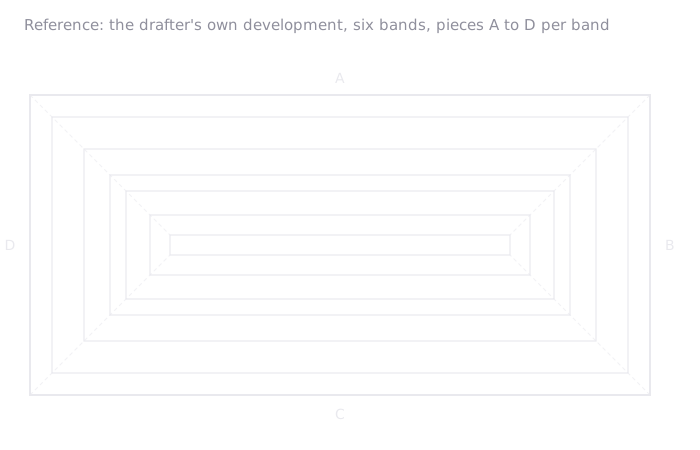
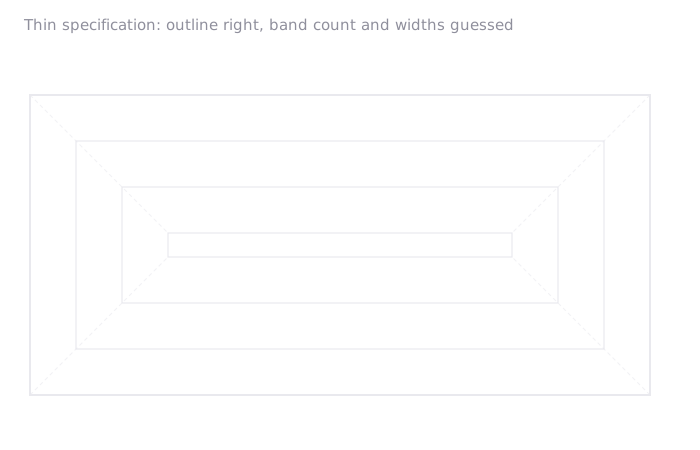
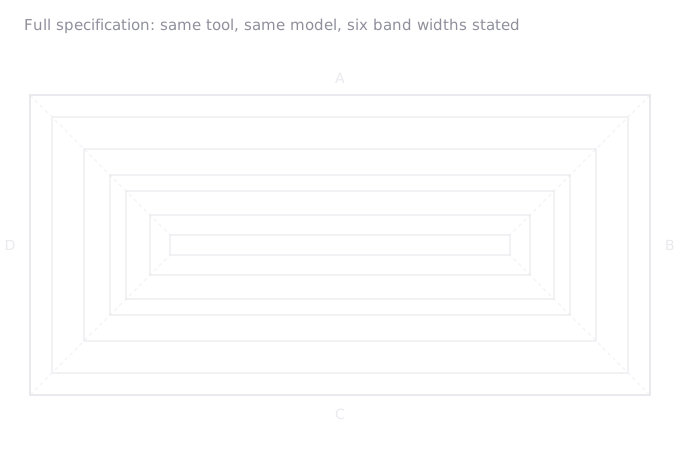
The missing facts were already available in the source material. Face widths, band widths, joint positions and maximum piece length were on the drawing the drafter had sent. They were absent from the agent instruction.
The strongest instructions were short, specific, and explicit about what mattered. The agent needed to know which facts were hard rules and which facts were just background. Without that distinction, it could treat a reference measurement as something it had to reproduce, or ignore a manufacturing rule because it was buried inside a long paragraph.
A useful instruction separates the two. Hard rules sound like: every part must fit inside the available sheet size; each piece needs a unique label; machining allowance must be added to every outer edge; joints should not sit on a visible corner unless the drafter approves it. Context sounds different: this past drawing used four pieces; the drafter usually starts labelling from the longest side; the client prefers fewer joints where possible. The first group tells the agent what it must obey. The second group helps it make sensible choices when there is more than one valid answer.
Teach the firm's drawing language
Every drafting department has its own language: layer names, dimension styles, hatch patterns, material codes, and conventions for lines that sit outside the drafter's scope. This firm has a drawing standard that defines those rules, and roughly 80 to 90 percent of the layers on any drawing come from that standard.
Teaching that language takes most of the deployment work. We build a drawing dictionary of shapes, layers and naming rules. We define interview questions that capture the job parameters before drawing starts. We also maintain a library of past jobs with the drafter's final answer attached.
The example library needs rules for when examples should and should not be used. It helps on familiar shapes, but it can mislead the agent on unfamiliar ones. In those cases, the agent may copy the nearest past example instead of treating the job as a new shape.
Test the skill against golden answers
The third problem is not just checking one drawing. It is knowing whether the drafting skill is robust enough to improve over time. Each completed drafter file becomes a golden answer: the reference output the skill should match for that job. When we change the instruction, swap the model, add examples, or adjust the drafting rules, we run the same jobs again and compare the new outputs against those golden answers.
This turns subjective review into a regression test. If a new model draws one cove better but breaks three older cases, the score shows it before the workflow reaches production. If a new example improves circular coves but misleads the agent on free-form shapes, the test set catches the tradeoff. The skill can then improve deliberately instead of drifting with each change.
The check looks for two errors: missing work and extra work. Missing work means the agent failed to reproduce part of the drafter's answer. Extra work means it drew something that should not be there. The score uses the weaker of the two checks, so both omissions and stray geometry reduce the result.
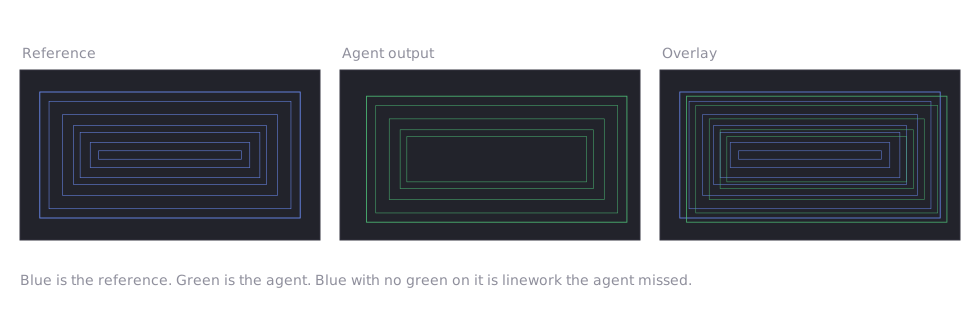
The checks held up in testing. Reference files scored correctly against themselves. Decoy files, including drawings with plausible shapes and labels, scored near zero. Copying the input plan without doing the drafting also scored poorly, so the agent cannot earn a high score by tracing the original drawing.
The scorer also matched human review. When the customer's drafters compared stronger and weaker outputs, the automated check separated them in the same direction and pointed to the same kinds of drafting errors the reviewers had flagged.
Checks also run during drafting. In one test, they caught overlapping pieces that had passed visual review.
Keep the drafter in the loop
Today, the agent completes most of the base drawing. A drafter still reviews the file, adds the finishing detail, and decides whether it is ready for production.
The reference answers, vocabulary and scoring toolkit all live in the customer's repository. The system therefore improves as the customer adds more jobs, standards and review data.
The model is only one part of the workflow. The value came from turning the drafter's judgement into rules, connecting those rules to the firm's drawing standards, and checking every output before it reached production.